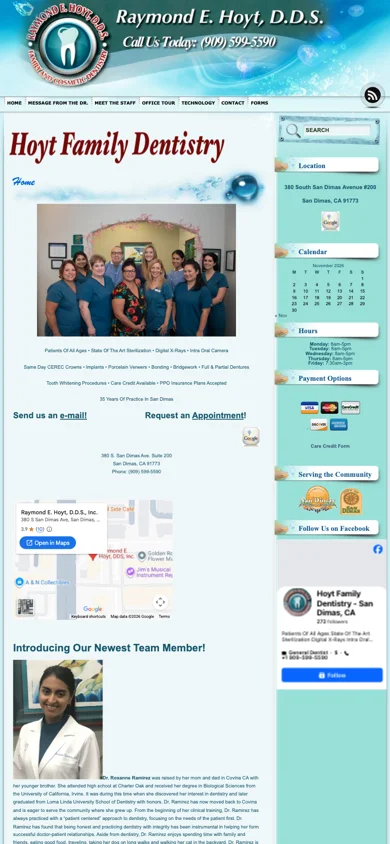
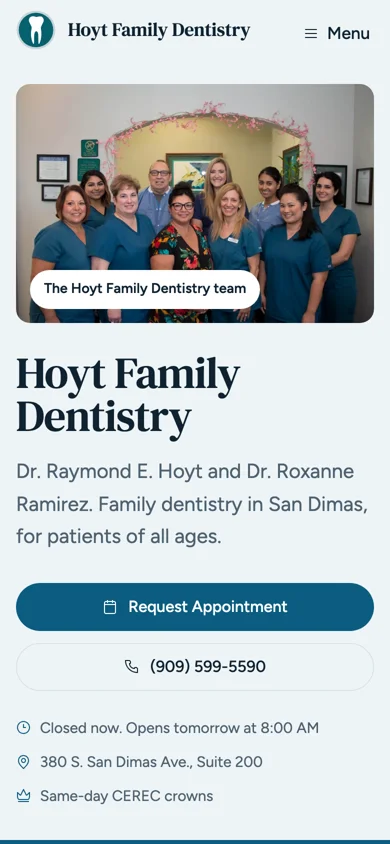
| Phones | The site has no viewport tag, so a phone shows the desktop layout shrunk to fit, with small text. | Every page is laid out for phones first. Call and Request Appointment stay at the bottom of the screen. |
|---|
| Appointment requests | A form with a picture code to type (CAPTCHA) and a required question spelled “Is Your Appointment Status Urgant?”. It is sent over plain http, without encryption. | 3 short steps: the visit, the days and times (Wednesday shows Dr. Ramirez, Friday shows the 3 PM close), your details. A summary builds as you go. The new site runs on https. |
|---|
| Security | WordPress 5.8 from 2021, jQuery 1.3.2 from 2009, and a script that blocks Internet Explorer 6. No https. | Static pages served by Cloudflare over https. There is nothing to log in to and nothing to patch. |
|---|
| Office tour | The page shows the text “[slideshow]” and no photos. | 4 photos of the office: the waiting room with the Wyland art, the front desk, a treatment room and Dr. Hoyt’s office. |
|---|
| Map | The Map page in the menu is empty. | One Contact page with the map, both sets of directions, parking and the entrance. |
|---|
| Message from the Dr. | The page address is /sample-page/, the name WordPress gives its example page. | /message-from-the-dr/, with Dr. Hoyt’s photo and training. |
|---|
| Team | Bios for 9 team members, with photos at 300px. | Every bio, with larger photos, and Dr. Ramirez on the homepage next to Dr. Hoyt. |
|---|
| Office hours | Hours sit in the sidebar next to a calendar. | The homepage says whether the office is open right now, in Pacific time. |
|---|
| Search engines | No structured data, so Google cannot read the address, phone or hours as data. | Dentist markup with both dentists, address, phone and hours on every page. |
|---|
| Leftover pages | An empty Blog page, a “Hello world!” post from WordPress, and a post from January 2012. | Left out. |
|---|
| Patient forms | Instructions mention Outlook Express. | Download, then email the forms or bring them in. |
|---|